
One approval inbox for everything that needs a yes.
Zentaro Pulse sends every request that needs a decision to one inbox: corrections, overtime, leave, shift swaps and location changes. A manager decides, or HR if there is no manager. Nobody can approve their own request, and every decision is kept in a record.
- One inbox
- Manager, then HR
- No self-approval
- Configurable steps
Without it
- Requests arrive by message, call and paper.
- Nobody knows what is waiting for a decision.
- There is no record of who approved what.
What it does.
One inbox
A manager sees all pending requests in one list, not in five places.
Manager, then HR
Requests go to the line manager. If there is none, they go to HR.
No self-approval
The person who asks can never be the one who decides.
Configurable steps
Set up the approval steps that fit your business.
How it works.
-
Step 1.
Employee raises a request.
For leave, overtime, a correction, a swap or a location change.
-
Step 2.
It lands in the inbox.
The manager sees what was asked and the facts behind it.
-
Step 3.
Approve, reject or ask for changes.
The manager decides. The employee sees the result.
-
Step 4.
The record is kept.
Each decision is saved with who decided and when.
See the screens.
The screens you and your managers will use for this.
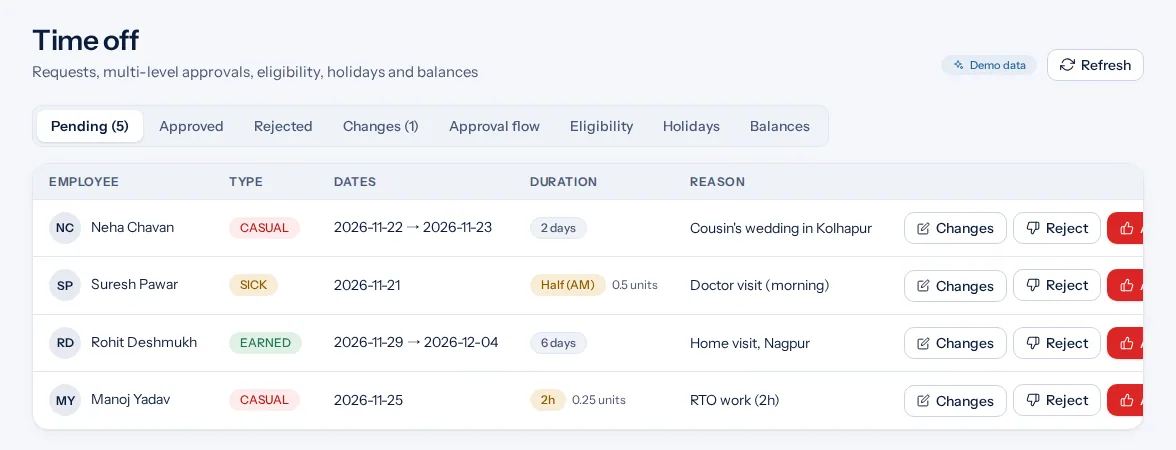
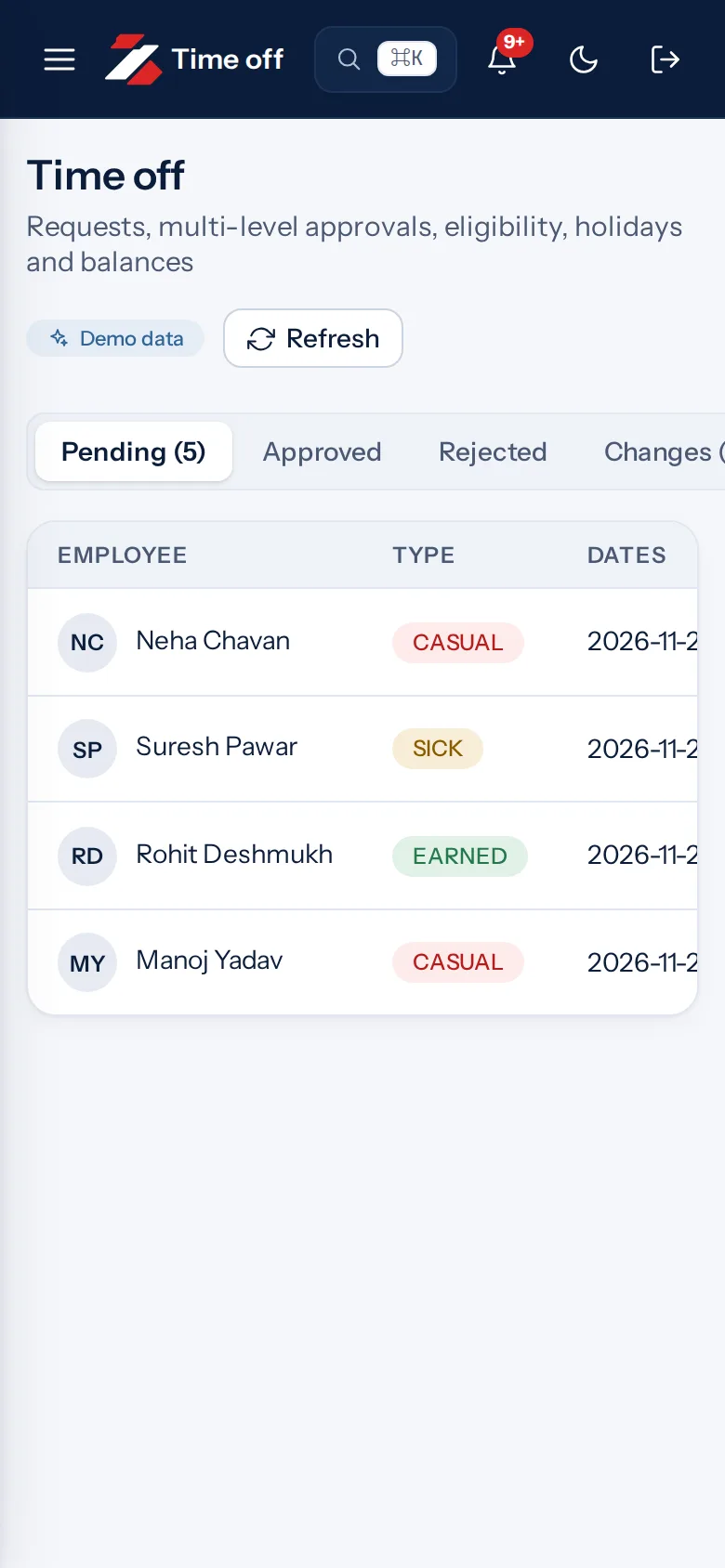
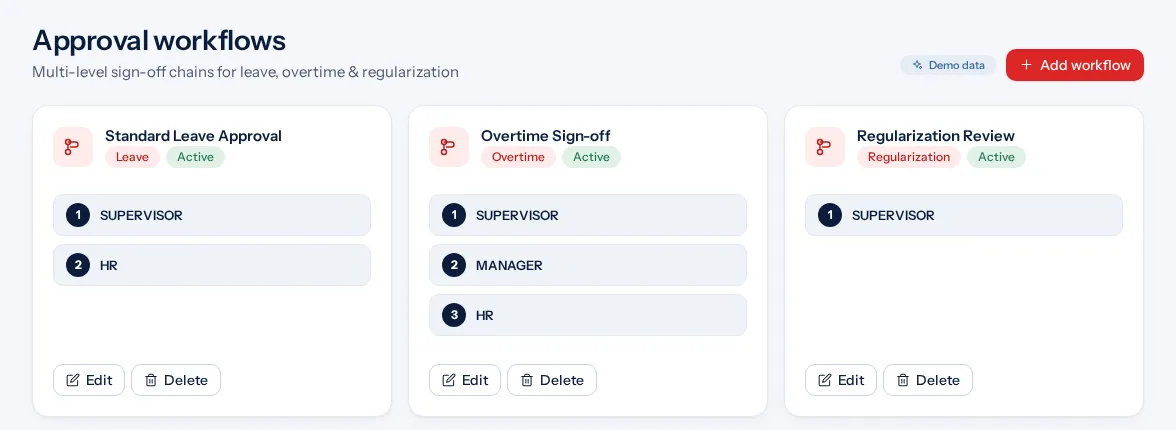
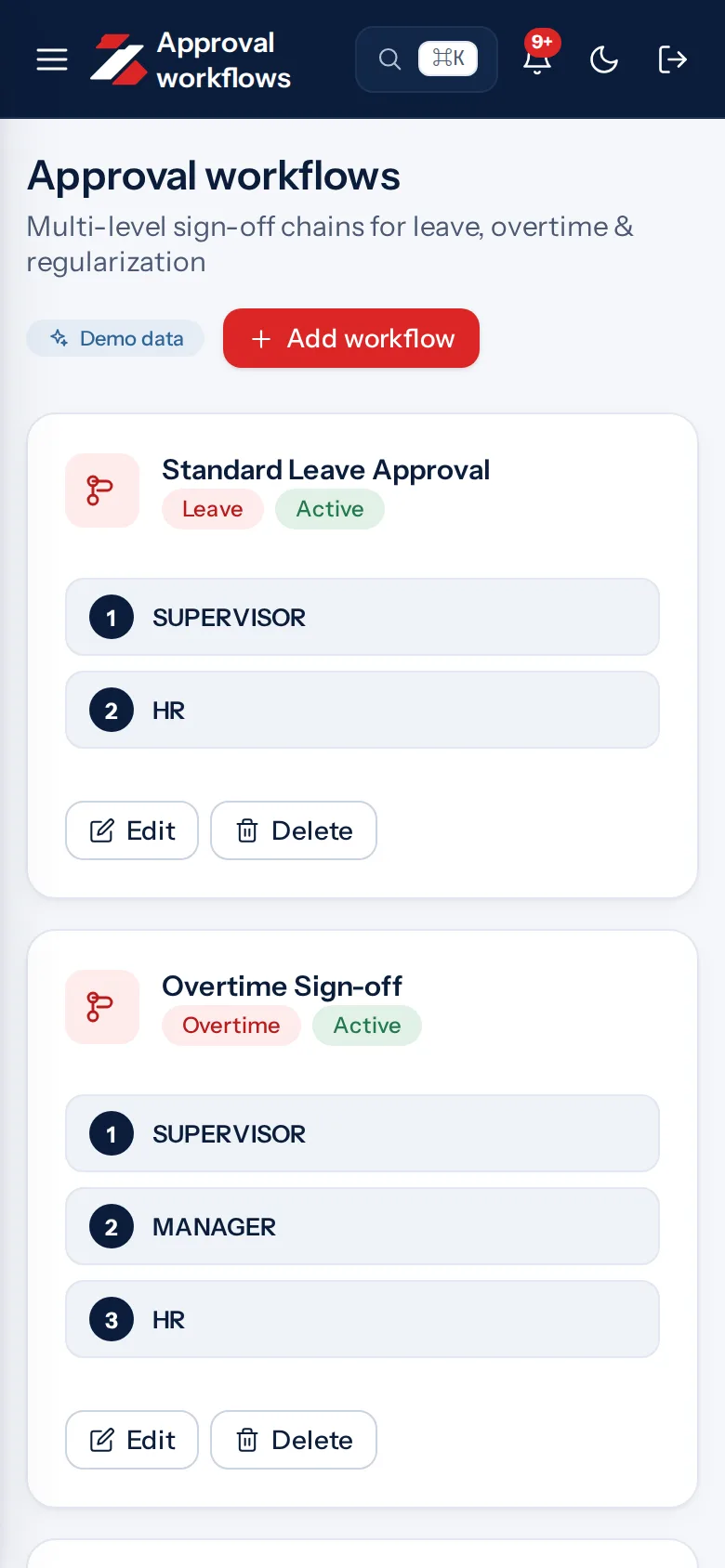
Example screens with demo data
The problem you know
What goes wrong without it.
- Requests in five places. A manager cannot decide what they cannot find.
- People approve their own requests. The person who asks should never be the one who decides.
- No clean trail. HR needs to see who decided, and when.
What it is not
- It does not let anyone approve their own request.
- It does not lose the record. Each decision is saved.
Who it is for.
Who it is for
- Managers who approve by message today
- HR teams that need a clean trail
- Owners who want a second person on every change
Want to see how it fits your team? Talk to us
Who approves what
| Question | Answer |
|---|---|
| Who approves by default? | The employee's assigned manager. HR can decide any request too. |
| Can someone approve their own request? | No. Nobody can decide their own request. |
| What if the manager is away? | HR can decide the request. Handing approvals to a stand-in is not part of what we describe today. |
| Can a request need two levels? | Overtime can. You set the levels in a workflow, for example a supervisor first and then HR. For leave and corrections, one decision is enough today. |
| What if a request is rejected? | The person who rejects it must write a note of at least five characters. The note is saved with the decision. |
| Is the decision recorded? | Yes. The request keeps who decided, when, and the note. |
Questions people ask.
What is an attendance approval workflow?
It is a set of steps where a manager decides on requests like leave, overtime and corrections. Zentaro Pulse launches in February 2027.
What can go through the inbox?
Corrections, overtime, leave, shift swaps and location changes.
Can I approve my own request?
No. Nobody can decide their own request.
What if an employee has no manager?
The request goes to HR.
What if the manager is away?
HR can decide any request. Handing approvals to a stand-in is not part of what we describe today.
Is there a record of decisions?
Yes. Pulse keeps who decided, when and what they decided.
Be first to hear when Zentaro Pulse launches
Zentaro Pulse is launching in February 2027. Join early access and we will tell you first. Or ask us a question now.
Last updated: