
Export attendance to payroll as a CSV or Excel-ready file.
Zentaro Pulse turns the month's attendance into a file your payroll can use. It counts present, absent, late, half-day, overtime and loss-of-pay days, and exports a CSV or Excel-ready file. Pulse does not calculate or pay salaries. It sends the attendance numbers.
- Days counted for you
- Review before export
- CSV or Excel-ready
- Layouts you can adjust
Without it
- Attendance is copied into the payroll sheet by hand.
- Open corrections are found after the numbers went out.
- Present and absent days are counted again by the accountant.
What it does.
Days counted for you
Present, absent, late, half-day, overtime and loss-of-pay days for each person.
Review before export
Queues show open corrections and requests, so you fix them before the numbers go out.
CSV or Excel-ready
Download a CSV or an Excel-ready file. It is an attendance file, not a pay file.
Layouts you can adjust
Choose a column layout. You may need small changes to match your own payroll sheet.
How it works.
-
Step 1.
Close the month.
Clear pending corrections, leave and overtime requests.
-
Step 2.
Pick the layout.
Choose the columns your payroll uses.
-
Step 3.
Export.
Download the CSV or Excel-ready file.
-
Step 4.
Use it in payroll.
Open the file in your payroll process. Pulse does not calculate pay.
See the screens.
The screens you and your managers will use for this.
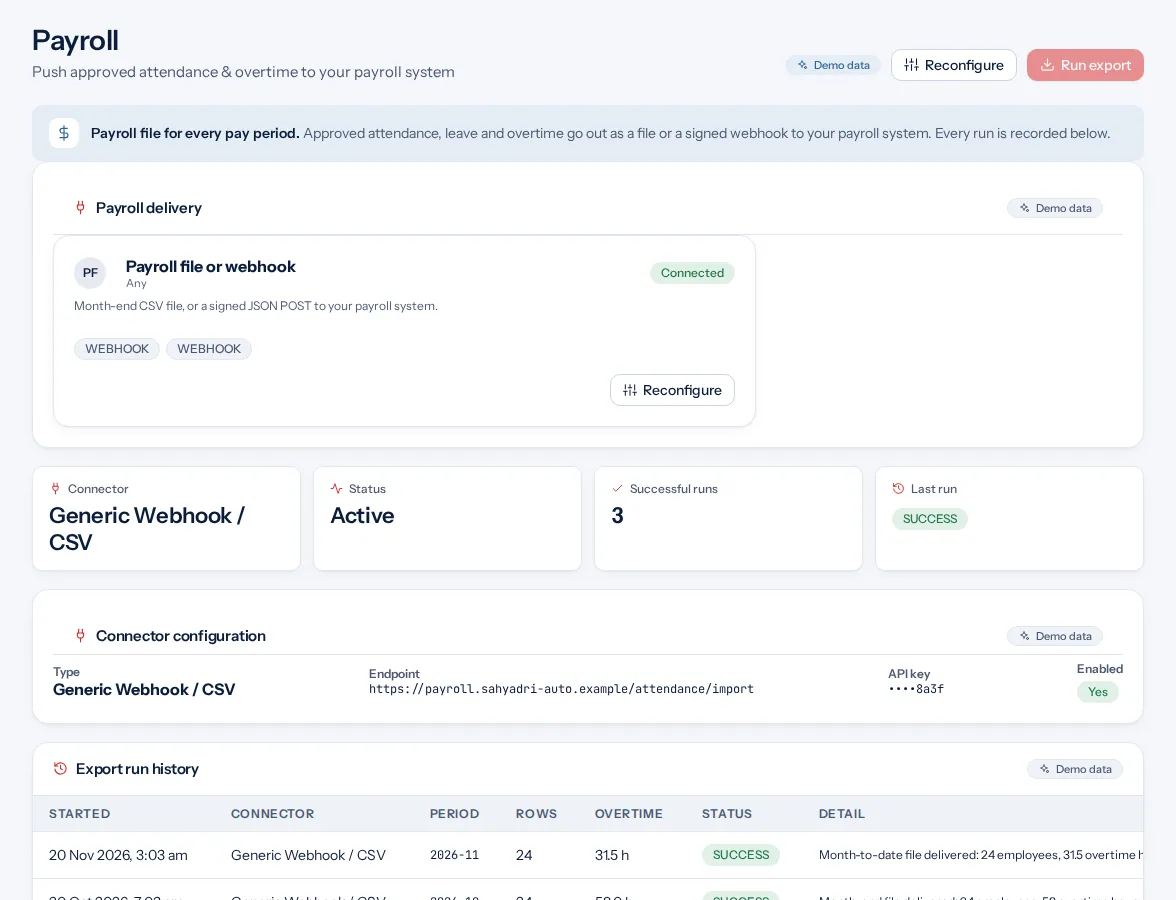
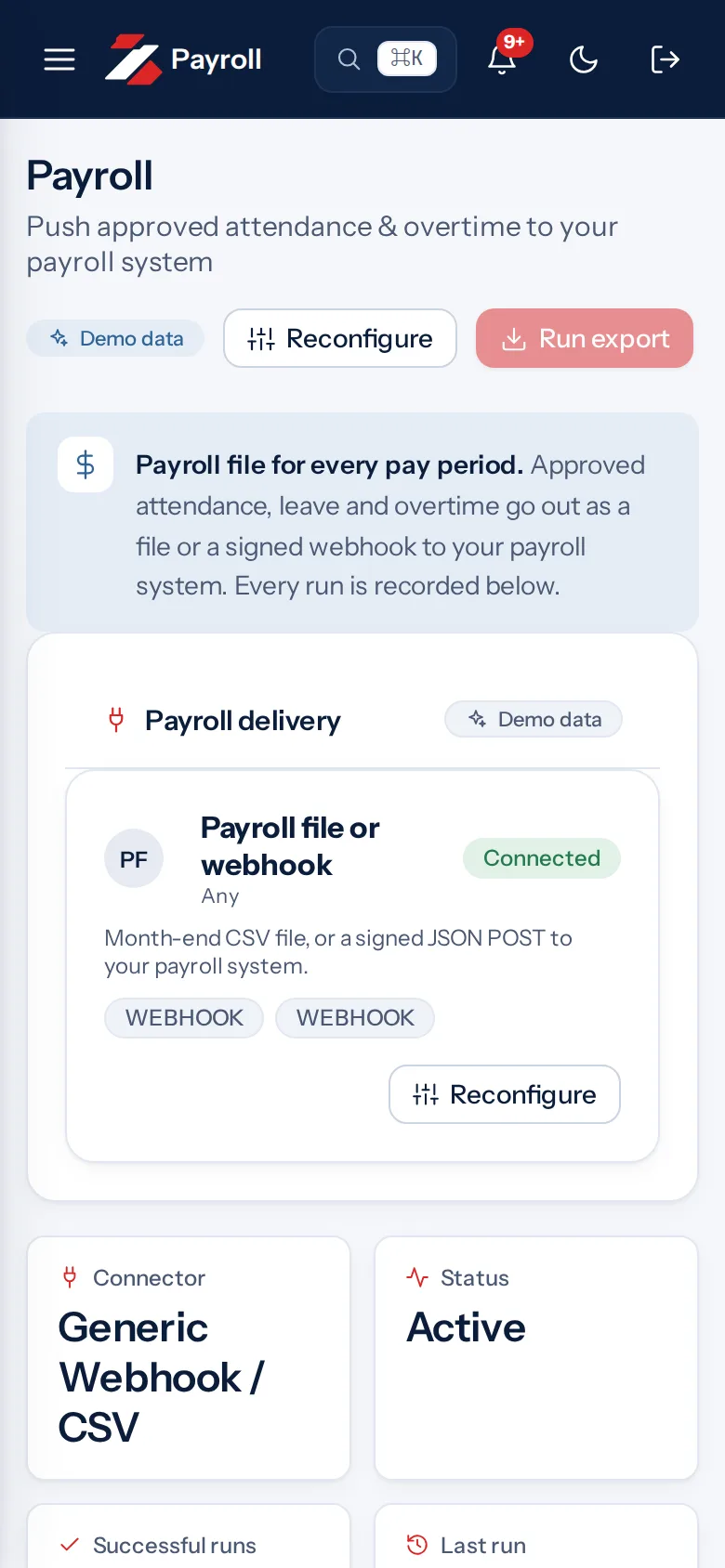
Example screen with demo data
The problem you know
What goes wrong without it.
- Hand copying at month end. Typing the days into a sheet is slow and invites mistakes.
- Open requests left behind. A pending correction changes the numbers after export.
- A file that does not match. Each payroll sheet has its own columns.
What it is not
- It is not a pay file. Pulse does not calculate pay.
- It does not match every payroll sheet. You may need small changes.
Who it is for.
Who it is for
- HR teams that fill payroll sheets by hand
- Accountants who need clean attendance numbers
- Owners who pay by the day or the month
Want to see how it fits your team? Talk to us
What the export file looks like
The file has one row for each employee and one column for each count below. Zentaro Pulse counts days and hours. It does not calculate salary, it does not work out statutory deductions, and it does not file anything.
payable_days is a count of days: present days plus half of each half day. It is not an amount of money.
Sample data. Made up for the layout. The people and numbers are made up.
| employee_id | employee_name | department | designation | present_days | absent_days | lop_days | half_days | late_days | overtime_hours | payable_days | early_departure_days |
|---|---|---|---|---|---|---|---|---|---|---|---|
| E101 | Employee A | Stores | Cashier | 20 | 1 | 1 | 1 | 3 | 4.50 | 20.5 | 1 |
| E102 | Employee B | Warehouse | Packer | 22 | 0 | 0 | 0 | 1 | 12.00 | 22.0 | 0 |
| E103 | Employee C | Front desk | Receptionist | 18 | 3 | 2 | 1 | 0 | 0.00 | 18.5 | 2 |
The file comes as CSV, as an Excel-ready file, or as JSON. It has one fixed layout. Choosing your own columns is not offered today. Links straight into other tools are listed on the roadmap as a later item.
Questions people ask.
Does Zentaro Pulse calculate salaries?
No. It exports attendance numbers as a CSV or Excel-ready file. It does not calculate or pay salaries. It launches in February 2027.
What does the export contain?
Present, absent, late, half-day, overtime and loss-of-pay days for each person.
Which formats are available?
CSV or an Excel-ready file. The attendance report can also be downloaded as a real Excel file.
Does it connect to my payroll software?
We do not list any payroll software as connected. Use the file, or ask us about the API and webhooks.
Can I check the numbers before export?
Yes. Review queues show open items so you can fix them first.
Be first to hear when Zentaro Pulse launches
Zentaro Pulse is launching in February 2027. Join early access and we will tell you first. Or ask us a question now.
Last updated: