
Leave management with clear policies and one inbox.
Zentaro Pulse keeps leave in one place. You set leave types such as annual, sick, casual, unpaid and maternity, with accrual and carry-forward rules. Staff apply in the app, and the request goes to a manager or HR. Approved leave shows up on the attendance record.
- Leave types with Indian defaults
- Accrual and carry-forward
- Eligibility rules
- Apply, approve, cancel
Without it
- Leave is tracked on paper or in a sheet.
- Nobody is sure how many days are left.
- A person on leave is marked absent.
What it does.
Leave types with Indian defaults
Annual, sick, casual, unpaid, maternity and more are ready to start from. You can change them.
Accrual and carry-forward
Set how leave is earned and how much moves to the next year.
Eligibility rules
Decide who can take which leave, so a new joiner does not get a full year at once.
Apply, approve, cancel
A request can be approved, rejected, cancelled or sent back for changes.
How it works.
-
Step 1
Set the policy
Choose leave types, accrual and carry-forward.
-
Step 2
Staff apply
The employee picks dates and a type in the app.
-
Step 3
A manager decides
The request reaches the approval inbox. If there is no manager, HR sees it.
-
Step 4
Attendance updates
Approved leave appears on the day, so it is not marked absent.
See the screens.
The screens you and your managers will use for this.
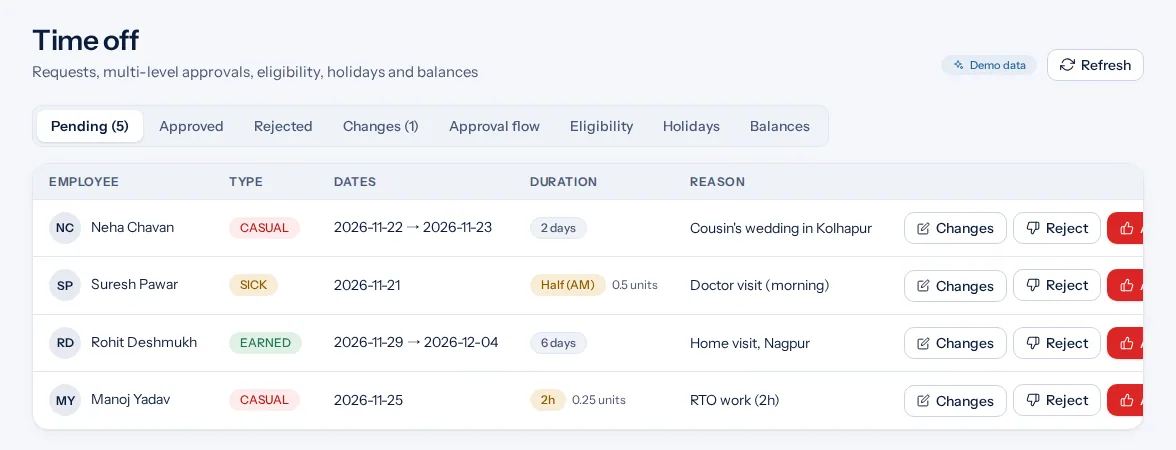
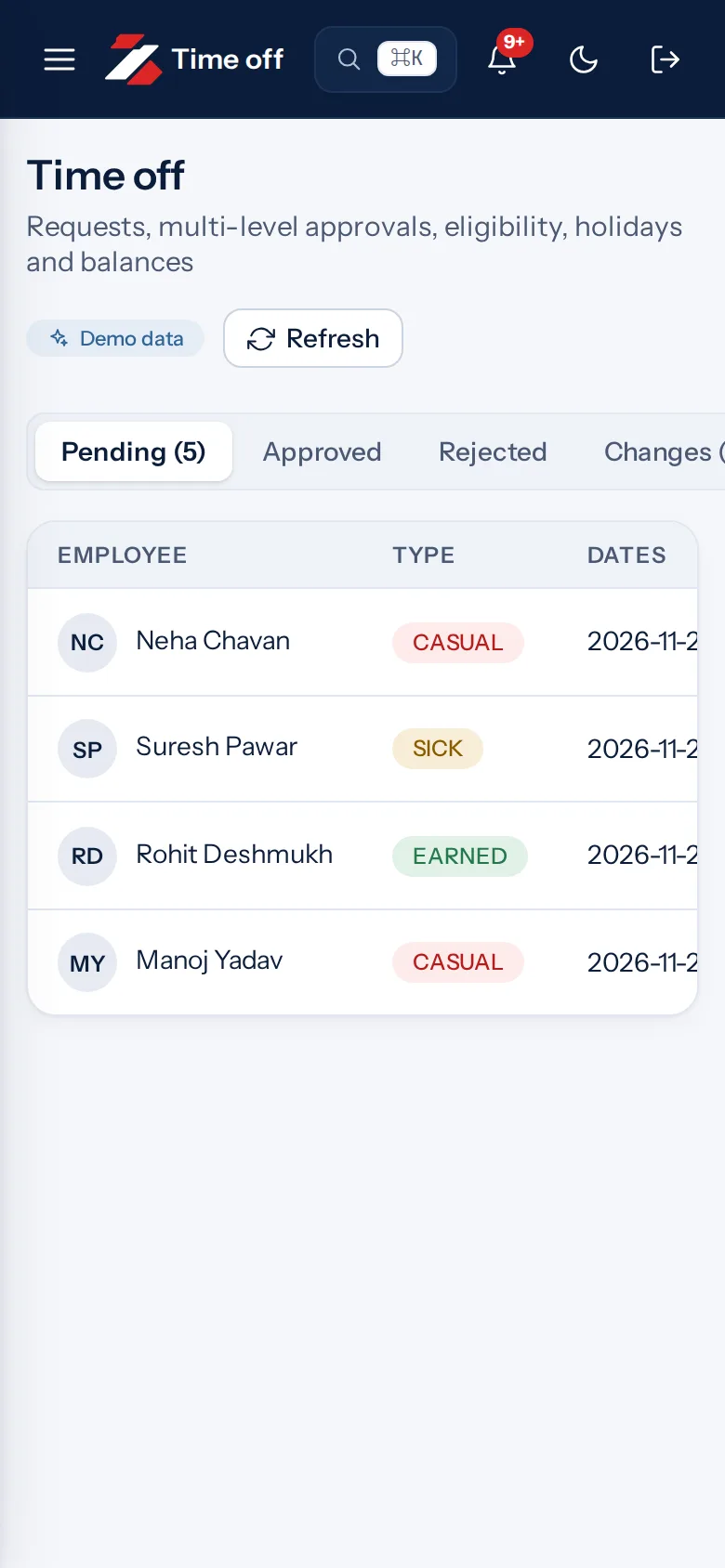
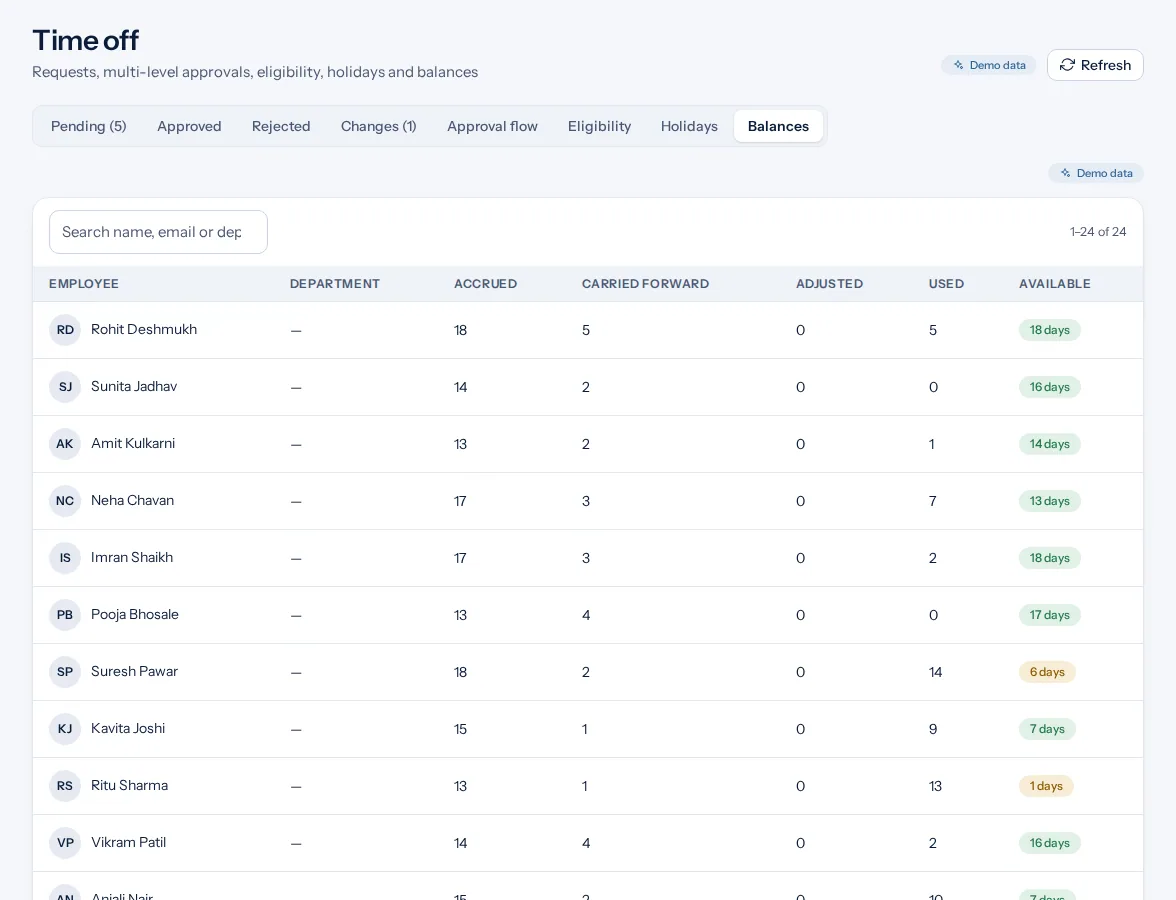
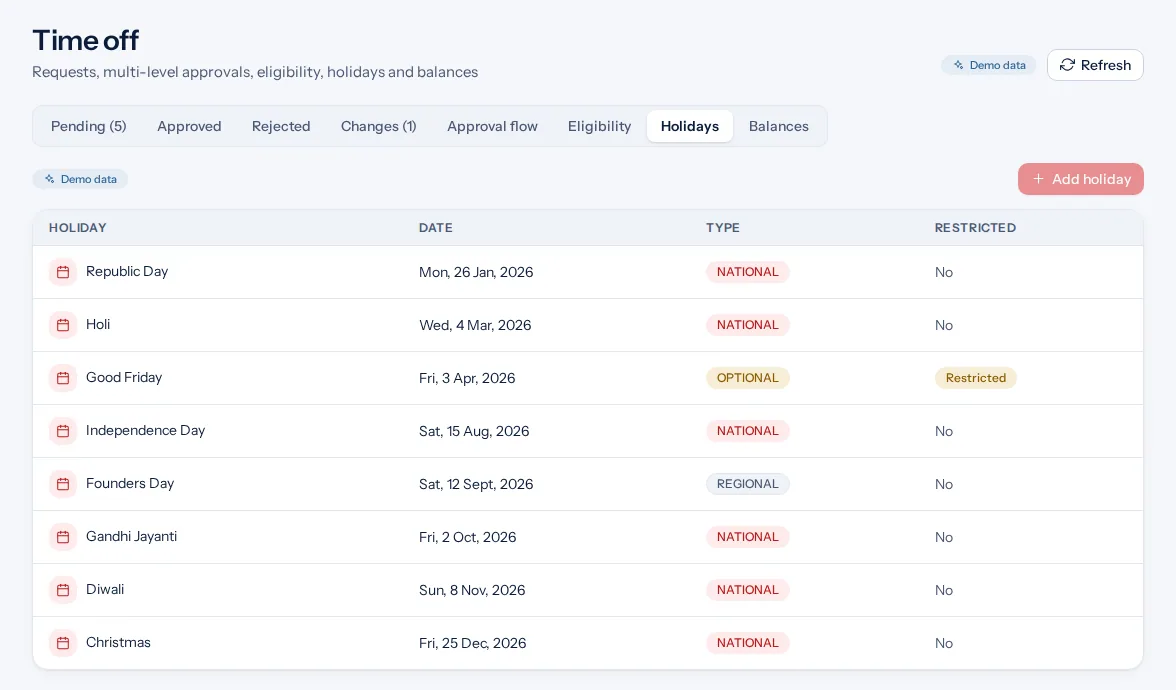
Example screens with demo data
The problem you know
What goes wrong without it.
- Balances nobody trusts. A paper record is easy to get wrong.
- The same rules for everyone. A new joiner should not get a full year of leave at once.
- Leave and attendance apart. Approved leave should show on the day, not as an absence.
What it is not
- It is not payroll. It does not calculate salary.
- It does not approve a request without a decision.
Who it is for.
Who it is for
- Small businesses that track leave on paper or in a sheet
- HR teams with several leave policies
- Managers who want to see who is off
Want to see how it fits your team? Talk to us
Questions people ask.
What does leave management software do?
It records leave policies, requests, approvals and balances in one place. Zentaro Pulse launches in 2027.
Which leave types are included?
Annual, sick, casual, unpaid and maternity are included, with more types you can add.
Can I carry leave to next year?
Yes. You set the carry-forward rule for each leave type.
Who approves leave?
The employee's manager decides. If there is none, HR does. Nobody can decide their own request.
Are the leave rules set by Zentaro Pulse?
No. You set your own policy. Check the current labour rules or ask an adviser.
Be first to hear when Zentaro Pulse launches
Zentaro Pulse is launching in 2027. Join early access and we will tell you first. Or ask us a question now.
Last updated: